Gitghost AI Overview
Gitghost AI is a software workspace for repositories, issues, boards, merge requests, pipelines, releases, security reviews, AI chat, local coding agents, and account access controls.
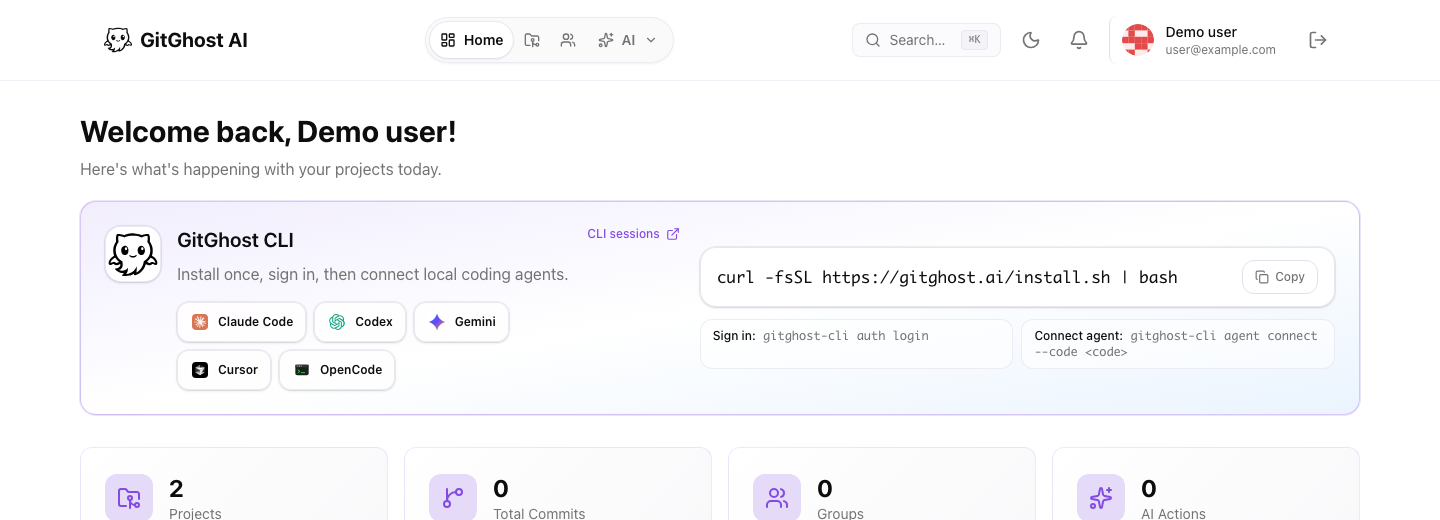
What You Can Do
| Area | What Gitghost AI Provides |
|---|---|
| Projects | Create blank projects, import Git repositories, manage visibility, and keep code context in one place. |
| Repository work | Browse files, inspect commits, manage branches, clone code, and review project metadata. |
| Collaboration | Manage project members, invitations, groups, public profiles, and review handoffs. |
| Planning | Track issues, organize work on boards, and plan sprints. |
| Review | Use merge requests to discuss, validate, and merge code changes. |
| Automation | Run pipelines, manage runners and schedules, keep artifacts, automate notifications, and publish releases. |
| Security | Review scores, alerts, dependency intelligence, scans, project secrets, and security update work. |
| AI | Start hosted chat, configure agent providers, pair local coding agents, review sessions, approve actions, and inspect guardrails. |
| Desktop | Run local coding agents, inspect code and Git changes, open web or mobile previews, and connect local work to governed GitGhost projects. |
| Account | Manage profile, sessions, CLI devices, access tokens, SSH keys, OAuth apps, notifications, billing, and usage views. |
Product Map
Start with these guides:
- Getting started: first account, project, CLI, and agent flow.
- GitGhost Desktop: install the app, open a workspace, run agents, review changes, preview applications, and connect evidence.
- Use GitGhost from your terminal: install the CLI, connect local coding agents, and see local AI work become reviewable project evidence.
- Dashboard and navigation: main screens and account menu.
- End-to-end walkthrough: complete user acceptance checklist.
Desktop app:
- Install and sign in
- Projects and repositories
- Coding agents and conversations
- Code, Git, and terminals
- Browser and mobile previews
- Sessions, evidence, and governed actions
- Desktop troubleshooting
Project work:
- Projects
- Repository workflow
- Repository actions
- Repository history, forks, and downloads
- Repository import
- Issues
- Issue review and AI handoff
- Boards and sprints
- Merge requests
- Merge request review
- Project settings
- Collaboration, members, and groups
- Public profiles and repositories
Automation:
- Pipelines
- Pipeline runs and artifacts
- Pipeline runners and schedules
- Releases
- Webhooks and integrations
AI workflows:
- AI agents
- AI agent settings and providers
- AI chat and agent pairing
- AI sessions and evidence
- AI approvals and guardrails
- AI jobs, plans, and approvals
- AI tasks, contributions, and activity
- Project insights and auditing
- Analytics and activity
Security and account:
- Security Center
- Security scans and remediation
- Security reviews
- Account and sign in
- Auth, device codes, and OAuth
- Account settings
- Account security and OAuth
- Developer OAuth apps
- Credentials, secrets, and variables
- Notifications, billing, and usage
Typical Workflow
- Sign in to Gitghost AI.
- Create or import a project.
- Review repository files, branches, commits, history, and settings.
- Invite collaborators or use groups when shared ownership is needed.
- Plan work with issues and boards.
- Use AI chat or a local agent when helpful.
- Review sessions, tasks, action requests, and generated evidence.
- Open a merge request.
- Run pipelines and security checks.
- Publish a release when the change is ready.
Review Principle
Gitghost AI gives you evidence and automation, but humans still decide what ships. Review diffs, checks, security findings, and AI evidence before merging or releasing work.