AI Approvals And Guardrails
AI approvals and guardrails keep AI work reviewable. They decide when an agent may read, propose, request actions, run command-capable tools, or make a project change.
Approval Queue
The project AI Approvals tab is where reviewers handle AI action requests. An action request can ask for permission to perform work such as creating a branch, proposing a patch, opening a merge request, updating an issue, or running a higher-risk tool.
When reviewing an approval:
- Read the requested action.
- Check the source session or plan.
- Confirm the target project and branch.
- Confirm the requested tool risk class.
- Approve only if the action matches the issue or chat request.
- Deny with a short reason if the action is unsafe, too broad, or unclear.
Approvals should be deliberate. If an agent asks for broader permission than the task needs, deny it and ask for a narrower action.
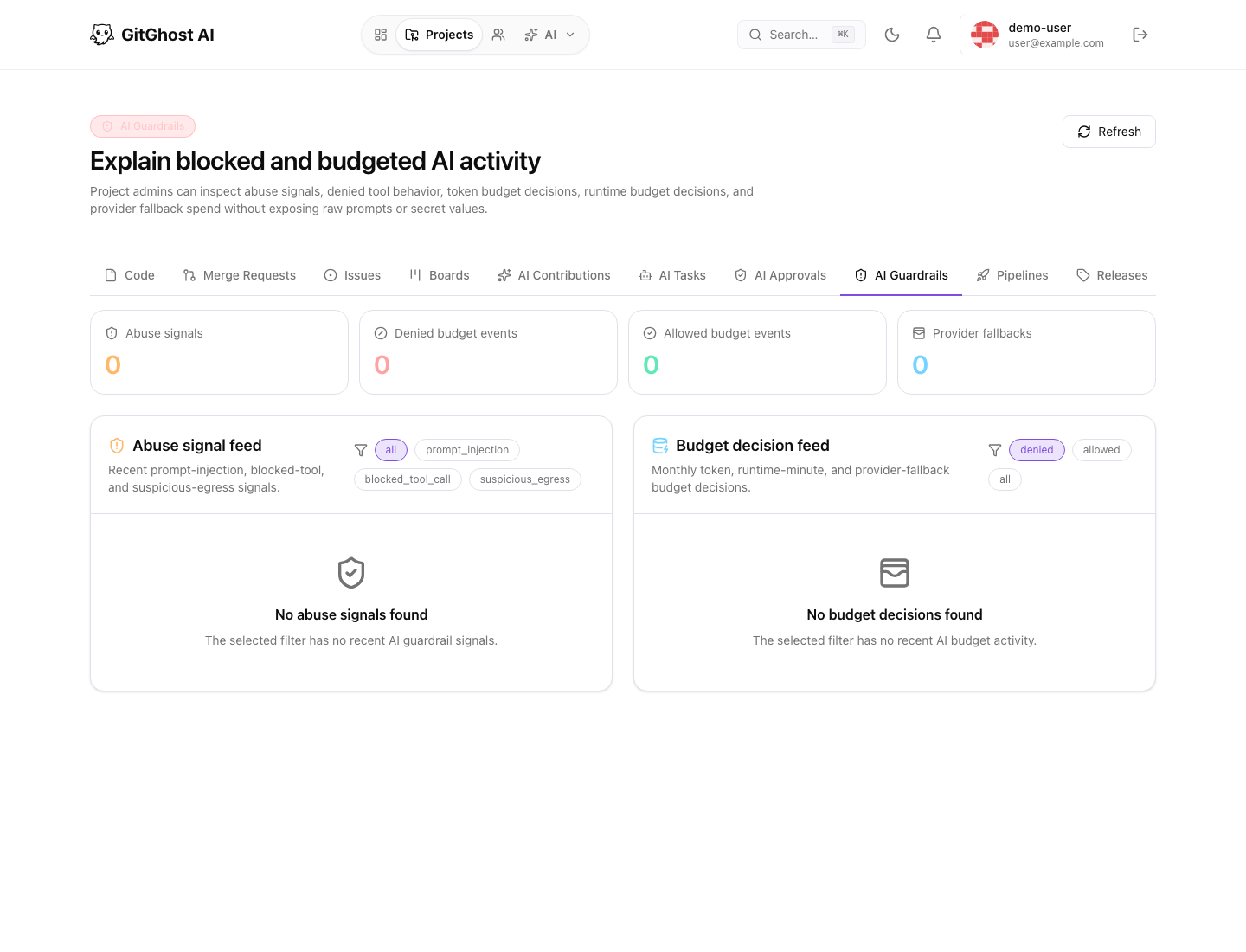
Guardrail Feed
The AI Guardrails tab explains blocked and budgeted AI activity. It can show abuse signals, budget decisions, and policy outcomes.
Use it to answer:
- Why was an AI request denied?
- Did the project hit a budget or runtime limit?
- Was a prompt blocked for safety reasons?
- Which policy class controlled the decision?
- Is the project allowing too much or too little agent autonomy?
Tool Risk Classes
Project AI policy can distinguish between read-only work and mutating or risky work.
| Risk Class | Review Guidance |
|---|---|
| Read-only metadata | Usually safe when the project allows AI context. |
| Read-only repository | Safe for inspection, but still review privacy-sensitive files. |
| Project mutation | Require approval when issues, boards, releases, or settings change. |
| Repository mutation | Require approval for branches, commits, patches, and merge requests. |
| Command execution | Require careful review because commands can produce side effects. |
| Secret-bearing action | Require strict need-to-know review. |
| External network | Allow only when the target and purpose are clear. |
| Destructive action | Block or require exceptional approval. |
Budget Decisions
Budget decisions control resource use. If work is denied because of budget, reduce scope or ask a maintainer to adjust project AI settings.
Do not split one large unsafe request into many smaller requests to bypass budget or approval policy.
Practical Review Pattern
Use this review order:
- Open the issue, chat, or session that created the request.
- Confirm the requested action is necessary.
- Check the target branch, files, or project object.
- Confirm expected validation.
- Approve, deny, or ask the agent for a smaller plan.
- Re-check the merge request or session evidence after the action completes.