AI Agents
Gitghost AI supports AI workflows while keeping project policy, review, and evidence in the loop. Use this page as the overview, then follow the detailed guides for chat, local agent pairing, sessions, approvals, and guardrails.
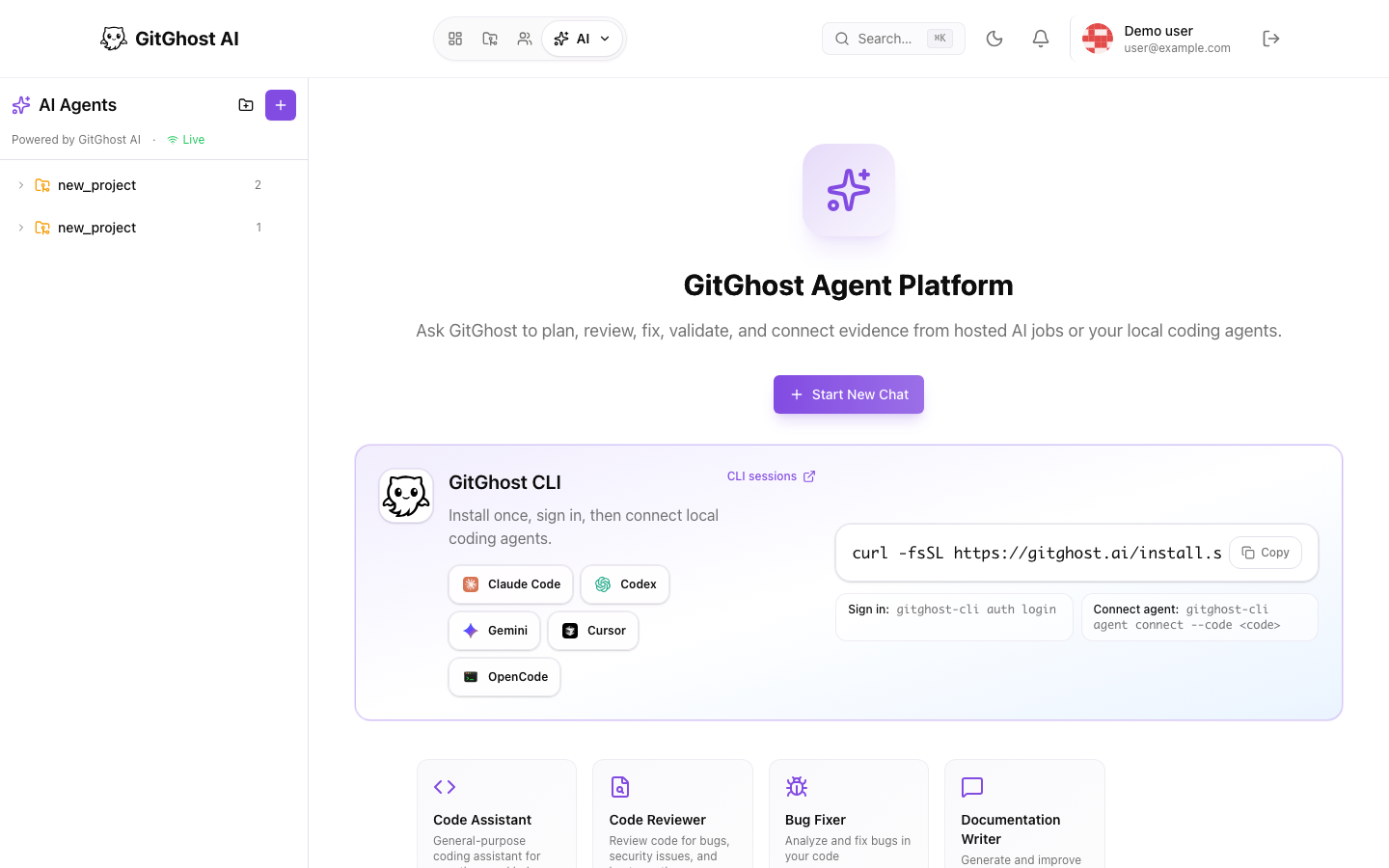
Modes
| Mode | Where Work Happens | Primary Use |
|---|---|---|
| Hosted Gitghost AI | Gitghost AI chat and managed agent sessions | Planning, review, documentation, bug investigation, and proposed changes. |
| Local agent sync | Your local coding tool plus Gitghost AI evidence sync | Continue using tools such as Codex, Claude Code, Gemini CLI, Cursor, OpenCode, Copilot CLI, or custom adapters while Gitghost AI records review evidence. |
Built-In Agent Roles
Depending on your workspace, Gitghost AI may show roles such as:
- Code Assistant for general implementation help.
- Code Reviewer for bugs, security issues, and maintainability.
- Bug Fixer for diagnosis and small fixes.
- Documentation Writer for project documentation.
Start with narrow prompts. Include the goal, affected area, constraints, and expected verification.
Local Agent Flow
- Install the CLI and change into your local Git repository.
- Run
gitghost-cli start. - Sign in if asked, then choose an accessible GitGhost repository and coding agent.
- Run one small, reviewable task with that agent.
- Open the result with
gitghost-cli session open. - Review session evidence, checkpoints, action requests, and merge requests in GitGhost AI.
No project connect code is required for repositories available to your account. An organization-issued connect code remains available as an advanced delegated-access path for one repository.
See AI chat and agent pairing.
Review Agent Work
Review AI work like a teammate's pull request:
- Read the original task.
- Inspect changed files.
- Check linked issue and branch.
- Confirm tests, pipelines, and security checks.
- Review transcript or evidence when available.
- Approve action requests only when they match the scope.
Policy Controls
Project settings can control:
- Whether local agent sync is allowed.
- Which agent types are available.
- Whether mutating actions need approval.
- Whether command-capable tools are allowed.
- Whether tools that may access sensitive project data are allowed.
- Budget and retention limits.
Known user-facing policy block:
Local agent sync is disabled by project Agent Policy
If you see that message, ask a maintainer to review Project Settings > AI Settings.