Project Insights And Auditing
Project insights help maintainers see whether a repository is active, healthy, and reviewable. Use them as a signal map, then open the linked source evidence before making decisions.
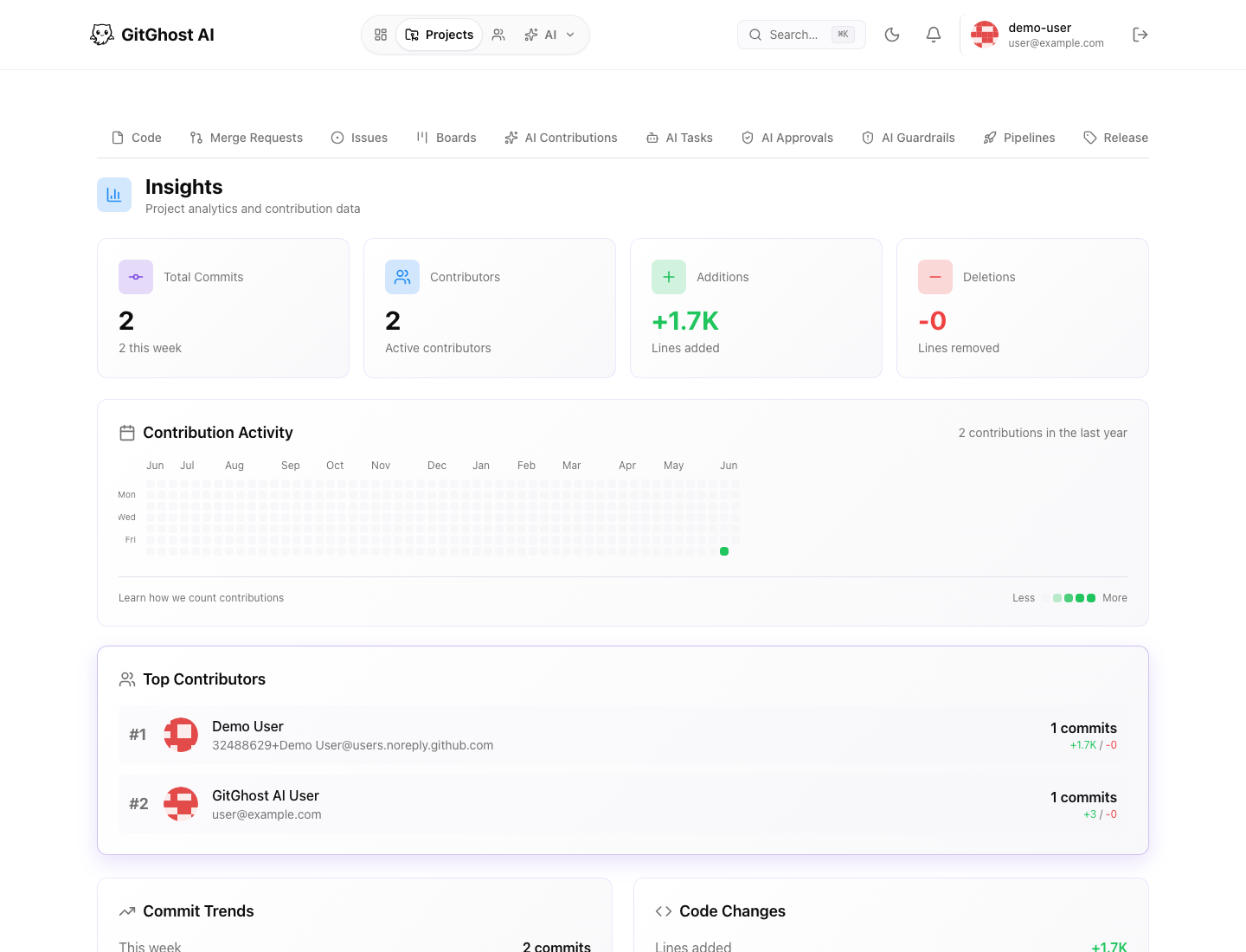
Project Insight Metrics
Project insights can show:
- Total commits.
- Commits this week or month.
- Average commits per week.
- Active contributors.
- Lines added and removed.
- Total files.
- Primary language.
- Weekly commit trend.
- Contribution calendar.
Use these metrics to spot unusual activity, not to rank people.
Contributor Review
Contributor statistics can help identify project ownership gaps.
Ask:
- Are active areas reviewed by maintainers who understand them?
- Did a sensitive subsystem change without the usual reviewers?
- Are AI-assisted commits connected to human review?
- Is one person or tool carrying too much of the project?
If ownership looks unclear, update review expectations before the next merge.
Activity Calendar
The activity calendar shows when work happened. It is useful for finding quiet periods, release pushes, and unusual spikes.
Use it to compare:
- A spike in commits with merge requests.
- A spike in AI activity with session evidence.
- A spike in pipeline runs with schedule changes.
- A spike in security alerts with dependency updates.
Account Analytics
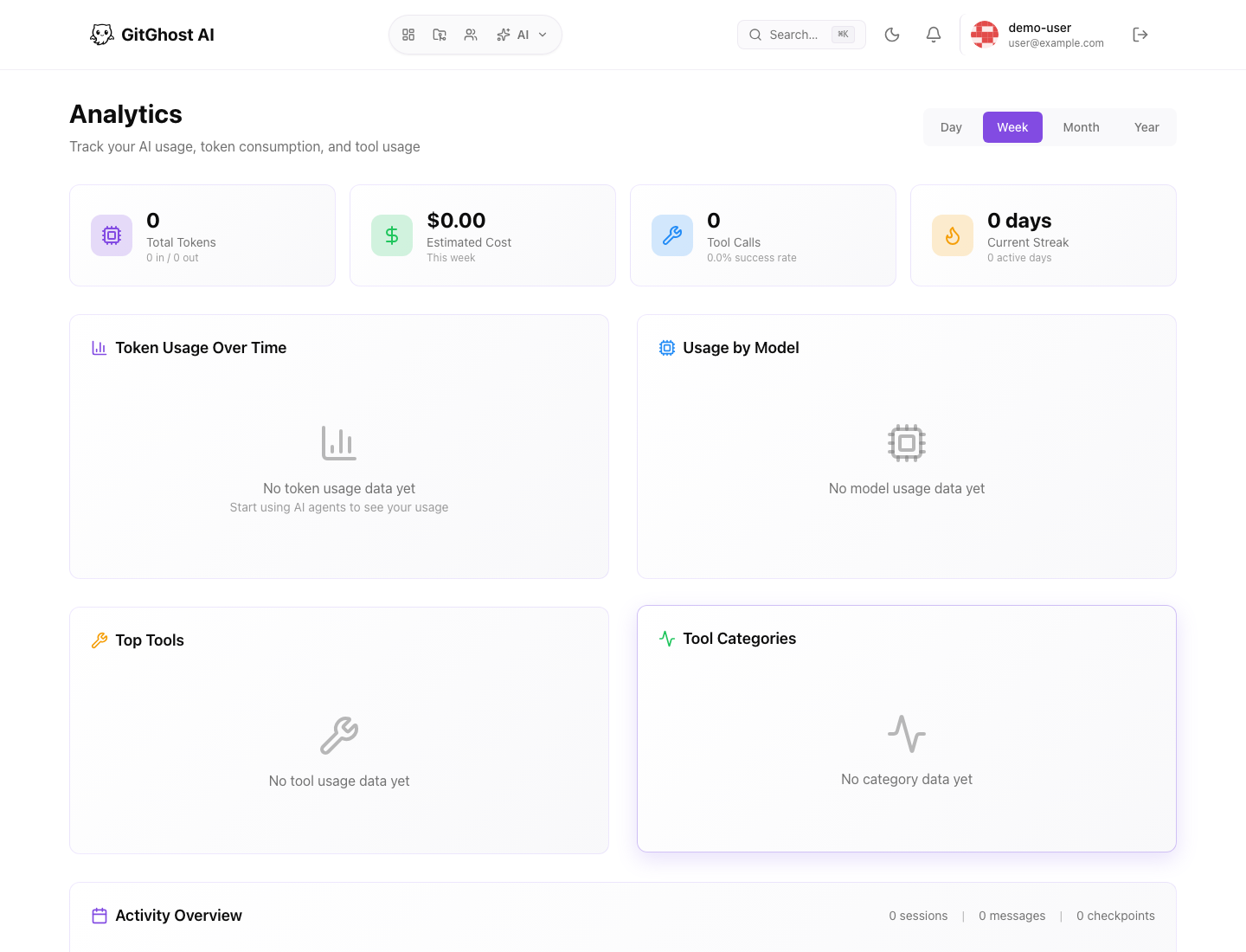
Account analytics gives a broader view of AI usage, tool calls, estimated cost, and activity periods.
Use account analytics when you need to understand cross-project patterns. For a specific code change, open the project, issue, merge request, pipeline, or AI session.
Audit Trail Questions
For any important change, you should be able to answer:
| Question | Where To Look |
|---|---|
| Why was this work requested? | Issue, task, or merge request description. |
| Who or what worked on it? | Commits, contributors, AI session, or task. |
| What changed? | Commit diff or merge request diff. |
| Was it validated? | Pipeline run, artifacts, security scan. |
| Were AI actions approved? | AI approval queue and session evidence. |
| Is it safe to release? | Merge review, security review, release checklist. |
If any answer is missing, slow down before merging or releasing.
Risk Signals
Investigate when you see:
- Many changes without linked issues or merge requests.
- AI contribution spikes without session evidence.
- Repeated pipeline failures ignored by maintainers.
- Security alerts left open during release work.
- Stale branches with active scheduled runs.
- New OAuth apps or tokens with broad access.