Issues
Issues are the planning unit for project work. Use them for bugs, feature requests, tasks, security follow-up, and AI-assigned work that needs a clear outcome.
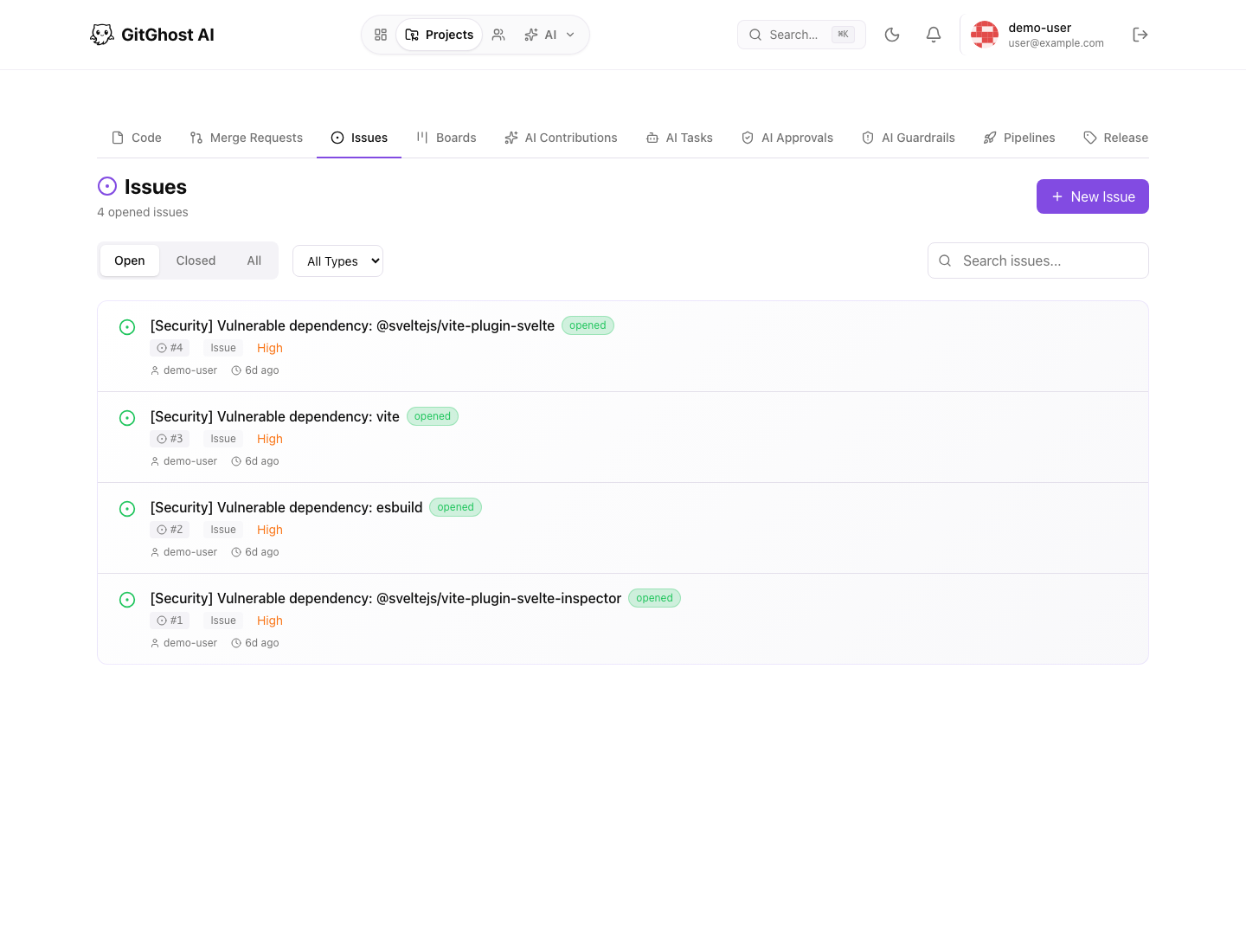
Issue List
The issue list lets you filter open, closed, and all issues. Use it to scan current work, find stale tasks, and decide what should move to a board or merge request.
Common list actions:
- Open a new issue.
- Filter by state.
- Filter by issue type.
- Open an issue detail page.
- Review labels, assignees, milestones, and recent activity.
Create An Issue
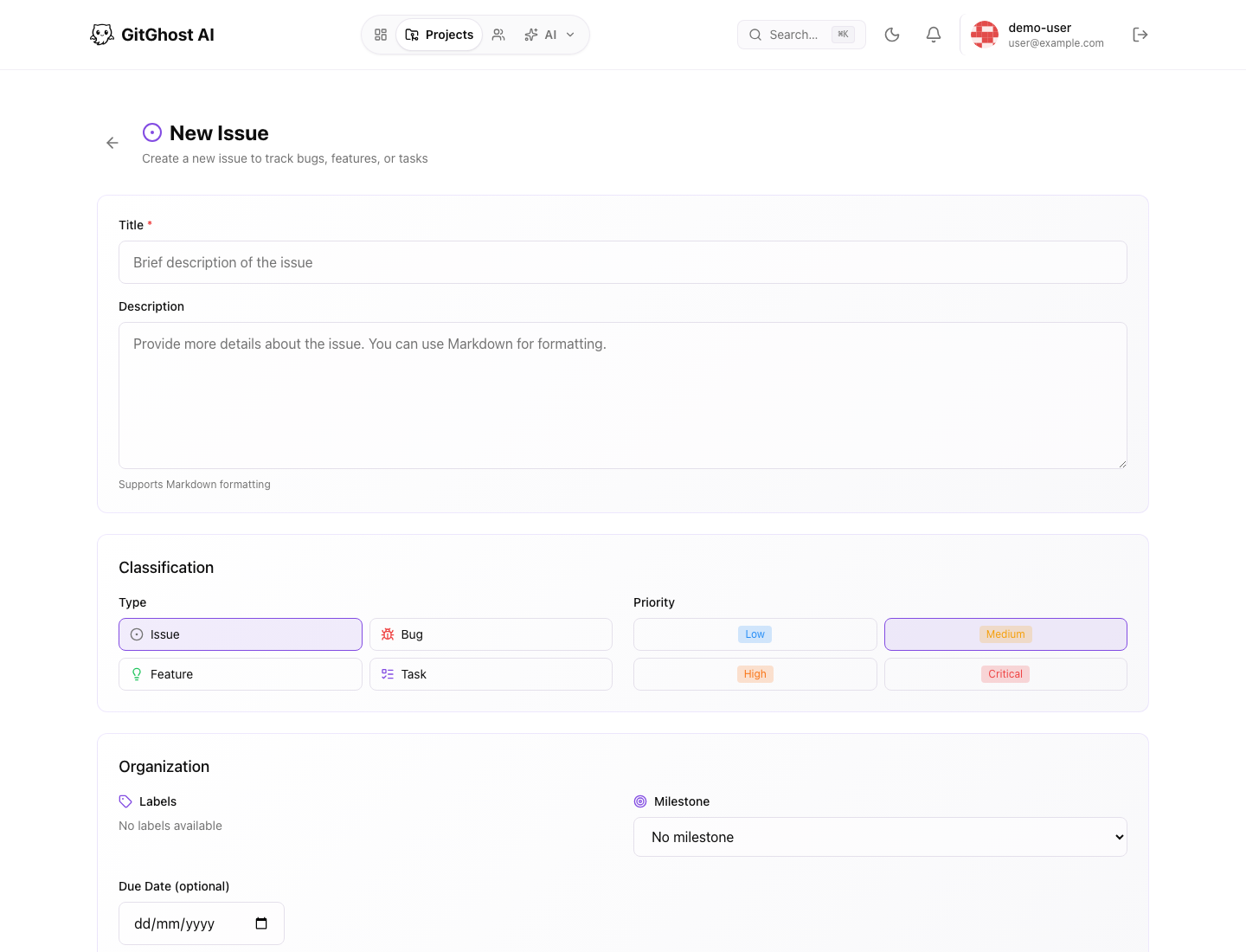
From a project:
- Open Issues.
- Select New Issue.
- Choose the issue type.
- Write a clear title.
- Add enough description for another person or agent to act.
- Add labels and a milestone when they help triage the work.
- Create the issue.
Use the description to define success. If you expect an AI agent to help, include files, constraints, expected tests, and any behavior that must not change.
Issue Types
Gitghost AI supports issue-like work items for different kinds of planning. The visible type selector can include bug, feature, task, or project-specific categories depending on the current project configuration.
| Type | Use It For |
|---|---|
| Bug | Broken behavior, regressions, or defects. |
| Feature | New user-visible or developer-visible capability. |
| Task | Maintenance, refactoring, cleanup, or operational work. |
| Security follow-up | Vulnerability remediation or hardening work. |
Comments And Activity
Issue detail pages keep the discussion and activity trail together. Use comments for decisions, reproduction notes, screenshots, and review context. When AI activity is attached, check the related AI section before closing the issue.
Close And Reopen
Close an issue when the work is complete, intentionally rejected, or tracked somewhere else. Reopen it when the problem returns or when the implementation did not fully solve the original request.
Good Issues For AI Work
An AI-ready issue should include:
- The expected outcome.
- Relevant files or modules.
- Testing expectations.
- Constraints such as compatibility, security, or style requirements.
- Whether the agent may create a branch or merge request.